
Guide to Matching Gaming Peripherals for Your Setup
Table of Contents
- Why Matching Your Gaming Peripherals Matters
- Essential Gaming Peripherals for a Complete Setup
- How to Choose Gaming Peripherals for Different Genres
- Finding the Best Wireless Gaming Mouse for Precision
- Software and Ecosystem Integration
- Gaming Setup Aesthetic Tips and Cable Management
- Budget vs. High-End Peripheral Considerations
- Conclusion
- Frequently Asked Questions
Last Updated: September 23, 2026
Why Matching Your Gaming Peripherals Matters
A mismatched setup creates friction you feel every session: a mouse that fights your grip, a keyboard that drowns out your headset, a wireless link that drops mid-fight. Matching gaming peripherals is the practice of choosing a mouse, keyboard, and headset that work together as one system rather than three separate purchases. This guide from Electrifick Wants breaks down compatibility, genre needs, and budget trade-offs so you buy once and play better.
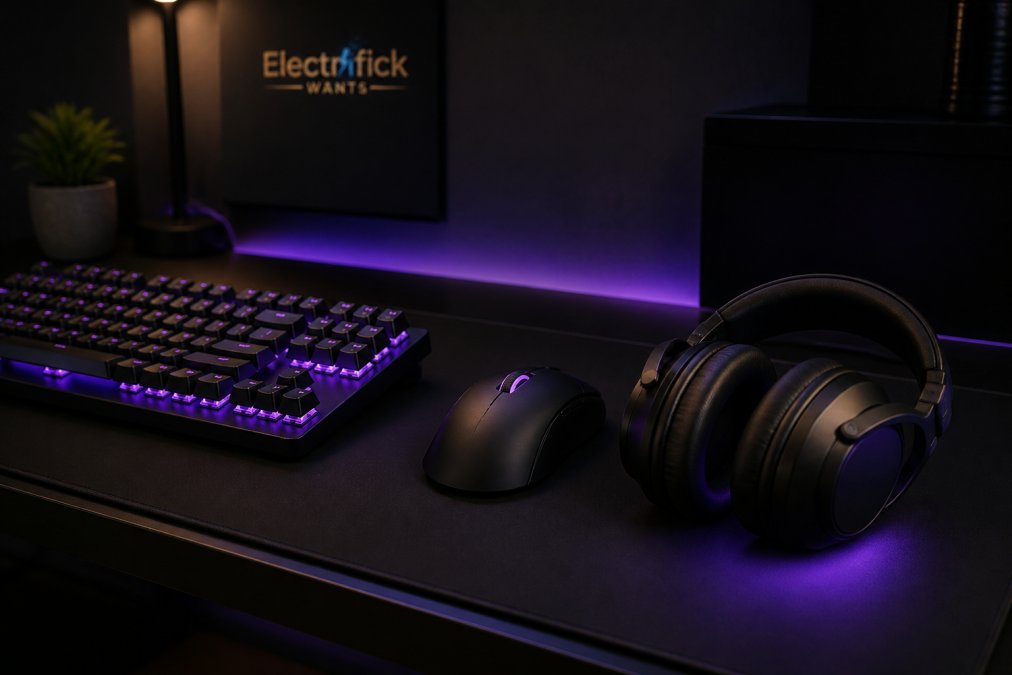
Essential Gaming Peripherals for a Complete Setup
A complete setup needs four core items: a mouse, a keyboard, a headset, and a mousepad, with a monitor and desk as the foundation. Everything else, from macro pads to capture cards, is optional and should follow your genre.
Mouse, Keyboard, and Headset Basics
Start with the three inputs you touch every second. A wired headset like the Gaming Earpiece with Microphone Mars Gaming MH120 skips Bluetooth compression entirely, running stereo audio through a standard 3.5mm jack across PC, PlayStation, Xbox, and Switch. That single cable removes pairing steps and charging breaks, which matters when you switch platforms often.

| Peripheral | Key Spec to Check | Why It Matters |
|---|---|---|
| Mouse | Sensor type, DPI range, weight | Aim consistency and grip comfort |
| Keyboard | Switch type, form factor | Typing feel and desk space |
| Headset | Connection, mic clarity | Communication and positional audio |
| Mousepad | Size, surface texture | Tracking consistency |
How to Choose Gaming Peripherals for Different Genres
Genre decides your priorities more than brand loyalty does. An FPS player needs a light mouse and fast switches; an RPG player can trade speed for macro keys and richer audio. The mistake most buyers make is shopping by genre label instead of translating that genre into three or four measurable specs.
FPS: Prioritize Sensor, Weight, and Polling Rate
Shooters reward consistency over features. The specs that matter most:
- Mouse weight: Most competitive FPS players land between 55g and 80g. Below 55g, some players lose stability on micro-adjustments; above 90g, flick fatigue sets in during long sessions.
- Sensor: A modern optical sensor with no smoothing, no acceleration, and a 400 IPS+ tracking rating. You do not need a 26,000 DPI ceiling, you need a sensor that tracks cleanly at the 400-800 DPI you actually use.
- Polling rate: 1,000Hz is the competitive baseline (one report per millisecond). 4,000Hz and 8,000Hz polling exist, but they only help if your monitor refresh and CPU overhead can keep up.
- Switches: Linear optical or mechanical switches with short actuation. Tactile bumps slow rapid tap-firing.
- Keyboard form factor: Tenkeyless or 60% so the mouse has room for wide sweeps at low sensitivity.
MOBA: Prioritize Key Access and Anti-Ghosting
MOBA players spam abilities with the left hand while the right hand makes short, precise cursor moves.
- Keyboard: Tenkeyless or 65% with n-key rollover (NKRO) so simultaneous ability + item + movement inputs all register. Anti-ghosting is the marketing term; NKRO is the spec to look for.
- Mouse: Medium weight (70-90g) with a shape that supports a claw or palm grip, since MOBA sessions run longer than FPS matches. DPI in the 800-1,600 range is typical.
- Side buttons: Two to six programmable buttons mapped to items or pings. More than six usually means accidental presses.
RPG and MMO: Prioritize Macro Capacity and Audio Depth
Long sessions and complex rotations change the math.
- Keyboard: Full-size or MMO-specific boards with dedicated macro columns. Onboard macro storage matters more here than in any other genre, because rotations are long and you do not want to rebuild them on a new machine.
- Mouse: 6-12 side buttons, or a mouse with a shift modifier so one button doubles as two. Weight matters less; comfort matters more.
- Headset: Positional audio (virtual surround or a well-tuned stereo image) so you can hear directional cues in raids. Comfort over three-plus hours beats raw driver size.
Simulation, Racing, and Fighting Games
These genres break the mouse-keyboard-headset template:
- Racing: A wheel and pedals replace the mouse entirely. Match the wheel's rotation range to the sim, 900 degrees for arcade-style, 1,080+ for sim racing.
- Fighting: A fight stick or hitbox replaces the keyboard. Button actuation force and gate shape matter more than any mouse spec.
- Flight sim: A HOTAS setup plus a head tracker. Your headset choice shifts toward one with a lightweight clamp, since you wear it for hours.
Cross-Genre Rule of Thumb
If you play more than one genre, buy for the genre you play most and accept a small compromise elsewhere. A 70g mouse with six side buttons covers FPS, MOBA, and most RPG play without excelling at any single one. Chasing a perfect per-genre setup usually means three mice on the desk and one you actually use.
Finding the Best Wireless Gaming Mouse for Precision
The best wireless gaming mouse for precision pairs a modern optical sensor with a 2.4GHz dongle, not Bluetooth. Bluetooth adds latency and compression that competitive play exposes; a dedicated dongle keeps input latency low enough to feel wired.
Software and Ecosystem Integration
Software ecosystem integration is the most overlooked part of matching gaming peripherals, and it is where mixed-brand setups quietly fail. Each brand ships its own configuration utility, and running three of them means three background services competing for USB polling and memory.
Gaming Earpiece with Microphone Mars →
Gaming Setup Aesthetic Tips and Cable Management
Gaming setup aesthetic tips that actually hold up come down to three things: consistent lighting temperature, a clean cable path, and a surface that reduces glare. Matching RGB synchronization across devices looks intentional; mismatched color temperatures look accidental.
Budget vs. High-End Peripheral Considerations
Budget and high-end peripherals differ most in sensor grade, switch durability, and build materials, not in whether they work. A $35 wireless headset with low-latency esports mode and long battery life covers most casual play; a $128 wireless model adds HiFi stereo and a built-in mic for calls and streaming. But price tiers are only half the story. The other half is how long each tier lasts and whether you can repair it, a factor almost no buying guide discusses.
What You Actually Pay For at Each Tier
| Tier | Mouse | Keyboard | Headset |
|---|---|---|---|
| Entry | Optical sensor, 1,000Hz polling, plastic shell, ~6-12 month switch life under heavy use | Membrane or budget mechanical, ABS keycaps that shine within months | Wired 3.5mm, stereo only, fixed cable |
| Mid | Better sensor, lighter shell, PTFE feet, 2-year switch life | Hot-swappable mechanical, PBT keycaps, per-key RGB | 2.4GHz wireless, virtual surround, detachable mic |
| High | Flagship sensor, sub-60g shell, optical switches rated 100M clicks | Gasket-mounted, lubed switches, aluminum or FR4 plate | Planar or HiFi drivers, dual wireless, broadcast-grade mic |
The Repairability Gap
This is where budget gear often wins on total cost of ownership, and where most guides stay silent.
- Mouse feet: PTFE skates wear flat in 6-18 months on a cloth pad. Replacement sets cost a few dollars and take five minutes with a plastic spudger. High-end mice with proprietary feet can be harder to source than budget ones.
- Keycaps: ABS caps shine and lose texture; PBT caps hold up for years. On a hot-swappable board, you can replace caps and switches independently of the PCB.
- Switches: Mechanical switches are rated in clicks, common ratings run from 20M (budget) to 50M (mid) to 100M (optical and premium mechanical). A hot-swap socket lets you replace a failed switch instead of the whole board.
- Headset ear pads: Foam and leatherette break down in 12-24 months of daily use. Replaceable pads extend headset life by years; glued-on pads effectively end it.
- Cables: A detachable USB-C or 3.5mm cable turns a $5 failure into a $5 fix. A fixed cable turns the same failure into a new headset.
A Practical Spending Order
Spend first on the mouse, since it affects aim every second and its sensor and shape are the hardest things to compromise on. Spend second on the keyboard, where switch feel and hot-swap support determine how long the board stays useful. Spend third on the headset, where mid-tier models close most of the gap to flagship audio. Spend last on RGB, which affects nothing but the view.
When High-End Is Worth It
High-end gear earns its price in three situations: you compete and need every millisecond, you use the peripheral 20+ hours a week and durability pays back the premium, or you stream and need broadcast-grade mic and audio quality. Outside those cases, a mid-tier setup with repairable parts usually delivers more value per dollar than a flagship one you replace in two years.
Conclusion
Building a setup that actually works together takes more thought than buying three popular products. Electrifick Wants carries the audio gear and gaming accessories that fit that plan, including the Mars Gaming MH120 wired headset for latency-free cross-platform play, the ONIKUMA T20 wireless headphones for HiFi stereo and built-in mic support, and the S12 wired RGB headset with a 50mm driver and braided cable. Shop Smart. Shop Electrifick Wants.
Frequently Asked Questions
Does matching gaming peripherals improve performance?
Matching peripherals can improve performance by ensuring consistent software integration and reducing input lag. For example, using a wireless mouse and keyboard from the same brand often means one dongle and unified software, which minimizes delays. However, the biggest performance gains come from choosing the right specs for your needs, like a mouse with a high polling rate or a keyboard with mechanical switches. Matching is more about convenience and cohesion than raw power.
Should I prioritize aesthetics or specs when choosing gaming gear?
Specs should come first because they directly affect your gameplay. Look for a mouse with a good sensor, a keyboard with reliable switches, and a headset with clear audio. Once you have the performance you need, you can focus on aesthetics like RGB synchronization and color schemes. Many brands offer both, so you don't have to sacrifice looks for performance. Just avoid choosing a product solely for its appearance if it lacks the features you need.
What are the essential gaming peripherals for a complete setup?
A complete setup includes a mouse, keyboard, headset, and optionally a mousepad and controller. For competitive play, a wired or low-latency wireless mouse with adjustable DPI is key. A mechanical keyboard with anti-ghosting and n-key rollover ensures every press registers. A headset with a noise-canceling microphone and surround sound helps with communication and immersion. Don't forget a comfortable chair and a monitor with a high refresh rate to tie it all together.
How do I choose a gaming mouse that matches my keyboard?
Start by deciding on wired or wireless connectivity. If your keyboard is wireless, a wireless mouse from the same brand can share a receiver, reducing USB port usage. Check the software: if both use the same customization suite, you can sync RGB lighting and macros easily. Also consider grip style and sensor type. For example, an optical sensor with high DPI works well for FPS games, while a laser sensor might suit MMOs. Matching brands often simplifies this process.
Is it better to buy a peripheral bundle or individual components?
Bundles can save money and guarantee compatibility, but individual components let you pick the best tool for each task. For example, you might prefer a specific mouse for its shape and a different keyboard for its switches. If you buy individually, check that they work together, like ensuring your headset's surround sound is supported by your console or PC. Bundles are great for beginners, while enthusiasts often mix and match for optimal performance.
How can I test wireless latency for gaming gear?
You can test wireless latency by using high-speed camera tools or software like LatencyMon, but for practical purposes, look for peripherals with a polling rate of 1000Hz or higher and a 2.4GHz connection. Many brands advertise low-latency modes. In practice, modern wireless gear from reputable brands is often indistinguishable from wired for most gamers. If you're competitive, choose a mouse with a dedicated USB dongle rather than Bluetooth.
