
BuyDig vs MicroCenter for Tech: 2026 Retailer Guide
Table of Contents
- BuyDig vs MicroCenter for Tech: At-a-Glance Comparison
- BuyDig vs MicroCenter: In-Store Experience and Online Storefront
- Pricing, Bundle Deals, and Sales Promotions at Each Retailer
- Best Place to Buy PC Parts: Inventory and Hardware Compatibility
- Electronics Return Policy Comparison: Return Window and Price Matching
- Warranty Coverage for Tech Products and Post-Purchase Support
- Shipping Logistics and Geographic Accessibility for Remote Buyers
- Which Retailer Fits Your Build? A Decision Framework
- Frequently Asked Questions
Last Updated: September 18, 2026
BuyDig vs MicroCenter for Tech: At-a-Glance Comparison
Choosing between BuyDig vs MicroCenter for tech comes down to a simple split: BuyDig is an online-only storefront built for shipped orders, while MicroCenter runs brick-and-mortar locations where you can walk out with a motherboard the same day. This guide from Electrifick Wants breaks down pricing, inventory, returns, warranty coverage, and shipping.
| Factor | BuyDig | MicroCenter |
|---|---|---|
| Store format | Online storefront only | Brick and mortar plus online |
| Best for | Remote buyers, shipped orders | Same-day pickup, hands-on browsing |
| In-store pickup | Not available | Available at physical locations |
| Custom build help | Limited to online resources | In-store staff guidance |
| Return window | Varies by item category | Varies by item category |
| Price matching | Check current policy | Check current policy |
BuyDig vs MicroCenter: In-Store Experience and Online Storefront
MicroCenter's biggest advantage is the physical store. You can examine a graphics processing unit in person, compare peripherals side by side, and ask a staff member whether a motherboard fits your central processing unit socket before you pay, which matters most for first-time builders.
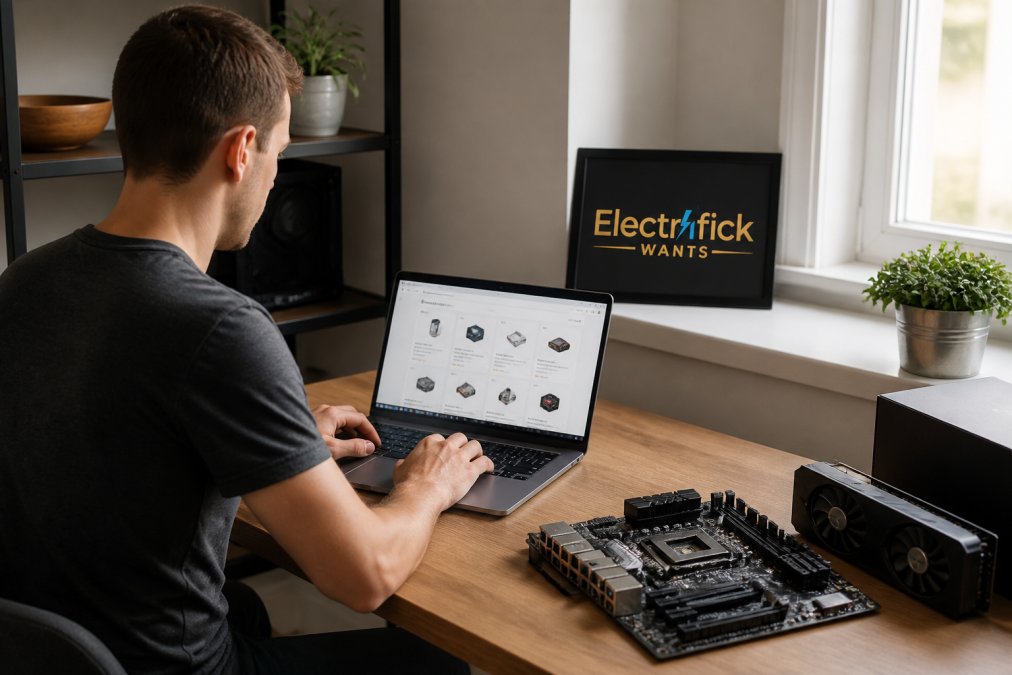
Pricing, Bundle Deals, and Sales Promotions at Each Retailer
MicroCenter is known for aggressive bundle deals, particularly on a central processing unit and motherboard bought together. These combos often deliver the strongest savings for a custom build, since the discount applies to parts you were buying anyway.
A few practical notes on pricing at either retailer:
- Bundle savings usually require buying specific part combinations
- Sales promotions rotate, so timing matters more than loyalty
- Price matching policies change, so verify the current terms before you buy
- Open-box and refurbished listings carry different warranty terms than new items
Best Place to Buy PC Parts: Inventory and Hardware Compatibility
Inventory transparency is where these two retailers diverge sharply. MicroCenter's website shows per-store stock, so you know before you drive whether that graphics processing unit is on the shelf. BuyDig shows online availability only, simpler, but it tells you nothing about physical stock.
Electronics Return Policy Comparison: Return Window and Price Matching
How the return clock actually works at each retailer
What to verify before you click buy
- The exact return window for that product's category, not the store's headline number
- Whether the item must be unopened, or whether opened-but-complete qualifies
- Whether the refund is original payment or store credit
- Who pays return shipping, and whether a restocking fee applies
- Whether the item is final sale, clearance, or open-box (these often carry different terms)
Price matching: the part most guides get wrong
- Price matching, where offered, typically applies to identical in-stock items from a defined list of qualifying retailers, not marketplace sellers, not auction listings, and not membership-club prices.
- The request usually has to be made before or at the time of purchase, not weeks later.
- Bundle pricing, open-box pricing, and promotional pricing are commonly excluded from matching.
- MicroCenter's in-store model lets you raise a price match at the counter with the competitor's listing pulled up; BuyDig's online model typically requires a pre-purchase request through customer service.
The builder-specific wrinkle
Neither retailer's policy is fixed for all time. Confirm current terms on the specific product page or with customer service before ordering, and keep the confirmation, because policies quoted at purchase are what you'll be held to if something goes wrong.
Warranty Coverage for Tech Products and Post-Purchase Support
Most comparison guides stop at 'the manufacturer handles the warranty.' That's technically true and practically useless when a component fails in month four and you need to know who to call, what to ship, and how long you'll be without a working system.
The two-layer warranty structure
- Manufacturer warranty, the base layer. Terms are set by the component maker (CPU, GPU, motherboard, PSU, storage, memory), not the retailer. Both BuyDig and MicroCenter pass these terms through unchanged. The length and what's covered vary by manufacturer and product line, so the only reliable source is the warranty document for that specific part.
- Retailer or third-party protection plan, the optional layer. This is where the two retailers actually differ, and where the money is made.
How a claim actually flows at each retailer
DIY builders versus pre-built buyers: the claim differs
This distinction determines your actual experience:
- DIY builders buy individual components, each with its own manufacturer warranty and its own claim process. A failed GPU goes to the GPU maker; a failed PSU goes to the PSU maker. There is no single point of contact, and no retailer is obligated to act as your agent for a component you installed yourself. Your leverage is the retailer's return window (short) and the manufacturer's warranty (longer, but slower).
- Pre-built buyers buy a complete system covered by a single system warranty, usually from the system builder. If the retailer sold you the pre-built, the retailer is often your first point of contact for the whole machine, which is simpler but ties you to their service queue.
Protection plans: what to evaluate
- Does the plan cover accidental damage, or only defects already covered by the manufacturer?
- Is the plan's term longer than the manufacturer warranty, or does it overlap and add nothing?
- Who administers the plan, the retailer, or a third-party insurer with its own claim process?
- Does the plan cover the full replacement cost, or depreciated value?
The support lifecycle questions that actually decide it
- If this part fails in month three, do I want to ship it or drive it somewhere?
- Who handles the claim, the retailer, or do I go straight to the manufacturer?
- If the failure is ambiguous (system won't boot, but which part?), can I get a diagnosis without shipping anything?
- Does the retailer offer a loaner, advance replacement, or cross-ship, or am I without the part until the claim resolves?
- For a bundle purchase, does a single failed component trigger a whole-bundle claim?
manufacturer warranty terms for major component categories
Shipping Logistics and Geographic Accessibility for Remote Buyers
Shipping logistics favor BuyDig for anyone without a MicroCenter nearby. As an online-first retailer, BuyDig's entire operation is built around getting orders to your door.
Which Retailer Fits Your Build? A Decision Framework
Use this framework to decide in under a minute:
| Your Situation | Better Fit | Why |
|---|---|---|
| Building a full custom PC | MicroCenter | CPU and motherboard bundle deals |
| Need a part today | MicroCenter | In-store pickup and same-day stock |
| Live far from any store | BuyDig | Shipping-first operation |
| Buying one peripheral | BuyDig | Competitive online pricing |
| Want hands-on advice | MicroCenter | In-store staff and technical support |
| Want manufacturer parts shipped | BuyDig | Broad online catalog |
The pattern is clear. MicroCenter wins on immediacy, hands-on help, and bundle pricing. BuyDig wins on reach and online convenience. Most experienced builders use both, depending on what the build needs that month.
Frequently Asked Questions
Is Micro Center better than BuyDig for PC components?
It depends on what you need. Micro Center excels for DIY builders who want to inspect motherboards, CPUs, and GPUs in person and get same-day help with hardware compatibility. BuyDig suits shoppers who prefer online ordering, broad product availability, and home delivery. For a custom build where fit and compatibility matter, Micro Center's hands-on model wins. For convenience and shipping, BuyDig is often the better fit.
How do return policies compare between BuyDig and Micro Center?
Both retailers publish return windows that vary by product category, and opened electronics often face restocking conditions. Micro Center typically processes returns at the store counter, which can mean faster resolution. BuyDig returns usually require shipping the item back and waiting for inspection. Always check the specific return window for the item before buying, since gaming hardware and consumer electronics can carry shorter deadlines than accessories.
Do BuyDig and Micro Center offer warranty coverage for tech products?
Each retailer passes through the manufacturer warranty and may sell extended protection plans. Micro Center often bundles in-store service options with certified technicians for custom builds. BuyDig generally routes warranty claims through the manufacturer or a third-party administrator. Keep your receipt and serial number, since both retailers require proof of purchase to start a claim on PC components or peripherals.
Which retailer is more reliable for consumer electronics?
Reliability depends on your priorities. Micro Center offers in-person troubleshooting and immediate exchanges, which helps when a component fails during a build. BuyDig offers a wider online catalog and shipping logistics that reach areas without a physical store. Check product availability, confirm the item is an authorized retail listing, and read the return window before committing to either one.
Buying tech shouldn't mean guessing whether a part is compatible, whether the return window covers you, or whether support will actually answer. At Electrifick Wants, we built our catalog around that problem: a curated selection of premium electronics and gadgets, fast and reliable shipping, and free shipping on orders over $50. From audio gear and gaming accessories to specialized equipment, we focus on quality and value so you can shop with confidence. Shop Smart. Shop Electrifick Wants.
