

Table of Contents
- What to Look for in Studio Monitors for Music Production
- Best Budget Studio Monitors for Mixing
- Studio Monitors Under $300: What You Can Realistically Expect
- Studio Monitors Under $500: The Sweet Spot for Home Studios
- How to Choose Studio Monitors for a Small Room
- Why Mix Translation Matters More Than Spec Sheets
- Calibrating Your Studio Monitors and Setting a Reliable Listening Level
- Common Mistakes When Buying Studio Monitors
- Frequently Asked Questions
Last Updated: October 9, 2026
What to Look for in Studio Monitors for Music Production
Studio monitors are speakers built for accurate, uncolored playback rather than pleasant listening, and that difference drives every spec that matters. Producers often upgrade their software long before their speakers, then wonder why their mixes fall apart elsewhere. The best studio monitors for music production tell you the truth about your mix, not flatter it.
Two spec groups decide almost everything: frequency response and the driver/power/connectivity package.
Frequency Response and Sound Accuracy
Frequency response describes how evenly a monitor reproduces the audible range, and the tolerance figure matters most. A spec like "50 Hz to 20 kHz" means little alone; you want a stated range within a tight margin, such as ±3 dB.
Low-frequency response deserves attention: a monitor that reaches lower lets you hear and fix rumble, kick drum weight, and sub-bass, while one that rolls off early forces guesswork.
Driver Size, Power, and Connectivity
Driver size shapes both bass extension and footprint. Larger woofers move more air and reach lower, but demand more space and listening distance. A 5-inch woofer suits a desk setup; an 8-inch woofer belongs in a larger room where you can sit further back.
Built-in amplification, common in active speakers, removes the guesswork of matching an amp to a passive speaker.
Best Budget Studio Monitors for Mixing
Budget studio monitors for mixing can work if you accept their limits and learn them.
Prioritize a flat midrange over deep bass: midrange accuracy carries vocals, guitars, and most of the mix's detail, while bass can be checked later on headphones or a subwoofer.
Consistency beats quality in the budget tier. If your monitors always under-represent bass, you will learn to add a little more low end than feels right and your mixes will translate.
For budget buyers, focus on these three things:
- A stated frequency response with a tight tolerance, even if the range is narrow
- Balanced inputs, which keep noise out of the signal chain
- A size that fits your actual desk and listening distance
Audio Engineering Society resources on monitoring standards
Studio Monitors Under $300: What You Can Realistically Expect
Monitors under $300 buy honest midrange reproduction, modest bass extension, and a build that will not fall apart, but not deep low-end accuracy, room correction DSP, or the headroom to monitor loudly without strain.
For a first home studio, bedroom setup, or secondary reference pair, this tier does real work: it helps you balance levels, catch obvious tonal problems, and hear your arrangement clearly.
What the Spec Sheet Should Actually Say at This Price
Use these numbers as a filter, not a wish list. If a sub-$300 monitor claims a frequency response far outside this envelope, treat the claim with suspicion.
- Woofer size: 3 to 5 inches. A 5-inch woofer is the practical ceiling before the cabinet and amp cost push the price past the tier.
- Low-frequency extension: roughly 50 to 60 Hz at the bottom of a stated ±3 dB range. Anything claiming 35 Hz at this price is usually quoting a -10 dB point, which is not the same thing.
- Power: 20 to 50 watts per driver is typical. That is enough for a desk at 1 meter, not enough for a treated room at 3 meters.
What You Give Up, Specifically
Where this tier falls short is low-end monitoring. Below roughly 60 Hz, output rolls off fast, so kick drum weight and sub-bass are guesses rather than decisions.
The second sacrifice is headroom. At higher playback levels, small woofers and modest amps compress and distort, masking detail and making you mix quieter than you think. Producers who expect a sub-$300 pair to reveal everything about a club mix end up frustrated, but the tool is doing exactly what it can.
The Real Cost of a Sub-$300 Setup
The speakers are rarely the whole bill. A usable setup at this tier usually lands closer to $400 to $550 once you add the parts that make the speakers work:
- Isolation pads or desktop stands: $20 to $60
- Balanced cables (TRS or XLR): $15 to $40 per pair
- A basic audio interface with balanced outputs, if you do not own one: $100 to $200
Budget the whole system, not the pair. A $250 monitor on a bare desk with unbalanced cables will underperform a $180 monitor on pads with a treated first-reflection zone.
Audio Engineering Society resources on monitoring standards
Studio Monitors Under $500: The Sweet Spot for Home Studios
This is the tier where the difference between a monitor you outgrow in a year and one you keep for five becomes visible.
If you are choosing between a cheaper pair plus acoustic treatment or a more expensive pair alone, take the treatment. A great monitor in an untreated room will still lie to you about bass.
Acoustical Society of America on room acoustics research
How to Choose Studio Monitors for a Small Room
Small rooms reward compact monitors and punish big ones. Match the monitor to your listening distance first, then to your room's ability to handle bass.
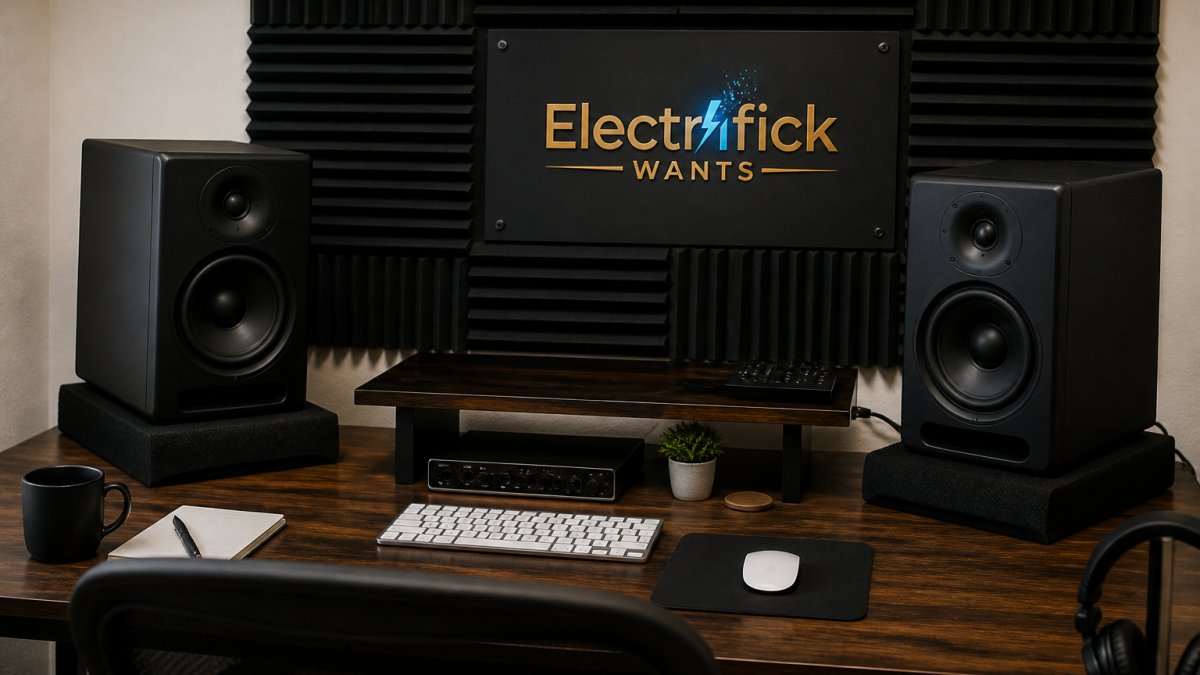
Start with these decision criteria:
- Listening distance under 1 meter: compact nearfield monitors with 3 to 5-inch woofers
- 1 to 2 meters: 5 to 6.5-inch nearfields, the most common home studio choice
- Over 2 meters: larger nearfields or midfield monitors, but only if the room can support them
Desk reflections and boundary effects matter more in small rooms. Placing monitors on a desk bounces sound back and muddies the midrange; isolation pads or stands help.
Nearfield vs Midfield: Listening Distance Matters
Nearfield monitors are designed to be heard from close range, usually 1 to 2 meters, putting your ears closer to the direct sound than to the room's reflections.
Shop Smart. Shop Electrifick Wants. →
Midfield monitors are built for longer distances, typically 2 to 4 meters, and need a larger, treated room.
The tradeoff is simple. Nearfield monitors give you accuracy in a small space at the cost of maximum SPL and deep bass.
Why Mix Translation Matters More Than Spec Sheets
Mix translation is how your mix sounds on systems other than your monitors, and it is the only spec that ultimately matters.
Most buyers skip this part: they compare frequency response charts, then never test their mixes on a car stereo, phone speaker, or consumer earbuds.
Here is how to build it into your routine:
- Headphones: check stereo balance and fine detail
- Car stereo: check low-end balance and how the mix holds up with background noise
- Phone or laptop speaker: check whether vocals and key elements survive a tiny, bass-light system
If your mix sounds balanced on all four, your monitors did their job.
National Institute of Standards and Technology on acoustic measurement
Calibrating Your Studio Monitors and Setting a Reliable Listening Level
Calibration means setting up your monitors and monitoring level so what you hear is consistent and repeatable. Without it, every mix starts from a different reference point. Here is the full workflow, including the level-matching step almost nobody writes down.
Step 1: Placement and Symmetry
Form an equilateral triangle between your head and the two monitors, tweeters at ear height, both angled inward toward your listening position.
Keep the monitors off the desk surface. Desk reflections arrive milliseconds after the direct sound and muddy the midrange. Isolation pads or short stands decouple the cabinet and lift the tweeter to ear height in one move.
Step 2: Set a Reference Listening Level
The goal is a level you can return to every session so your ears and decisions stay consistent. A common approach among working engineers:
- Play a well-recorded reference track you know intimately, something commercially released and familiar, not your own work in progress.
- Set your monitor controller or interface output so the track sits at a comfortable conversational volume at your listening position. Loud enough to hear detail, quiet enough that you could talk over it without raising your voice.
- Mark that position on the knob or note the dB value in your session template.
- Mix at that level for the bulk of the session.
This is the step most home producers skip, and the reason two sessions on the same speakers can produce wildly different mixes. Your perception of bass and treble changes with playback level, so a moving reference point means a moving target.
Step 3: Check at Quiet and Loud
Once your reference level is set, use it as the anchor and step away from it deliberately:
- Quiet (well below reference): exposes balance problems and masking. If an element disappears entirely, it is too quiet in the mix.
- Loud (briefly, above reference): exposes distortion, harshness, and clipping. Keep these checks short to protect your hearing.
Mixing at a random volume every session produces inconsistent results. The reference level is what makes the quiet and loud checks meaningful.
Step 4: Use EQ and DSP as Correction, Not Flavor
If your monitors have EQ controls or DSP room correction, use them to smooth out obvious room problems, not to reshape the speaker into something it is not.
A practical way to find room modes without measurement gear: sweep a sine tone slowly through the low end and listen for the notes that suddenly get much louder.
Step 5: Verify with Translation Testing
Calibration is only proven by results. After a mix, check it on headphones, a car stereo, a phone speaker, and a consumer system. If the balance holds across all four, your calibration and room are doing their job; if it only sounds right on your monitors, revisit placement and level before blaming the speakers.
National Institute of Standards and Technology on acoustic measurement
Common Mistakes When Buying Studio Monitors
Buying monitors is easy to get wrong, and the mistakes repeat across every budget. Avoid these:
- Skipping room treatment: the best monitor in an untreated room still lies about bass
- Buying too much speaker for the room: big woofers in small rooms create boomy, unusable low end
- Chasing specs over translation: on-paper numbers do not predict how your mixes will travel
That last point deserves emphasis. The monitors are one line item in a system. Budget for the supporting gear, or you will end up with good speakers in a bad setup, which performs worse than modest speakers in a good one.
Long-term, think about your upgrade path. A pair you can grow with, one that stays accurate as your room and skills improve, beats a pair you replace in eighteen months.
Frequently Asked Questions
What type of monitor is best for music production?
Nearfield studio monitors with a neutral frequency response are the standard choice for music production. They sit close to your listening position, which reduces the influence of room acoustics on what you hear. Look for active speakers with balanced inputs, a flat response curve, and a woofer between 5 and 8 inches for most home studios. The goal is transparent playback, not a flattering sound.
Do I need a subwoofer with studio monitors?
Not always. Most 6-inch and 8-inch studio monitors reach down to 40-50 Hz, which covers the bass extension needed for most genres. A subwoofer helps if you produce electronic music, hip-hop, or film scores where content below 40 Hz matters. In a small room, a subwoofer can cause more problems than it solves by exciting room modes. Start with monitors alone, then add a sub only if your mixes consistently lack low-end weight.
How big should studio monitors be for a home studio?
For a typical home studio with a listening distance of 1 to 1.5 meters, 5-inch or 6-inch woofers work well. An 8-inch driver suits larger rooms or distances beyond 2 meters. Bigger drivers push more low-frequency energy, which small untreated rooms handle poorly. Match the driver size to your room and listening distance, not to a spec sheet. Compact monitors with DSP room correction can outperform larger speakers in tight spaces.
Are studio monitors good for everyday music listening?
Studio monitors work for casual listening, but they sound different from consumer speakers. Their neutral sound reveals flaws in recordings rather than smoothing them over. If you enjoy colored, bass-heavy playback, monitors may feel flat or harsh at first. That transparency is exactly what you want for mixing. Many producers keep a second pair of consumer speakers or headphones for checking how mixes translate outside the studio.
Choosing studio monitors is really a decision about how honest you want your monitoring to be, and honesty is what makes mixes travel. At Electrifick Wants, we carry curated audio gear and the accessories that complete a setup, from isolation pads to cabling, with free shipping on orders over $50 and a selection built around quality and value. Shop smart. Shop Electrifick Wants.